Mobile App Development: The Complete 2026 Guide
What building a mobile app involves in 2026: platform choice, realistic cost and timeline, store submission. Written to help you decide, not to sell.
Caliency
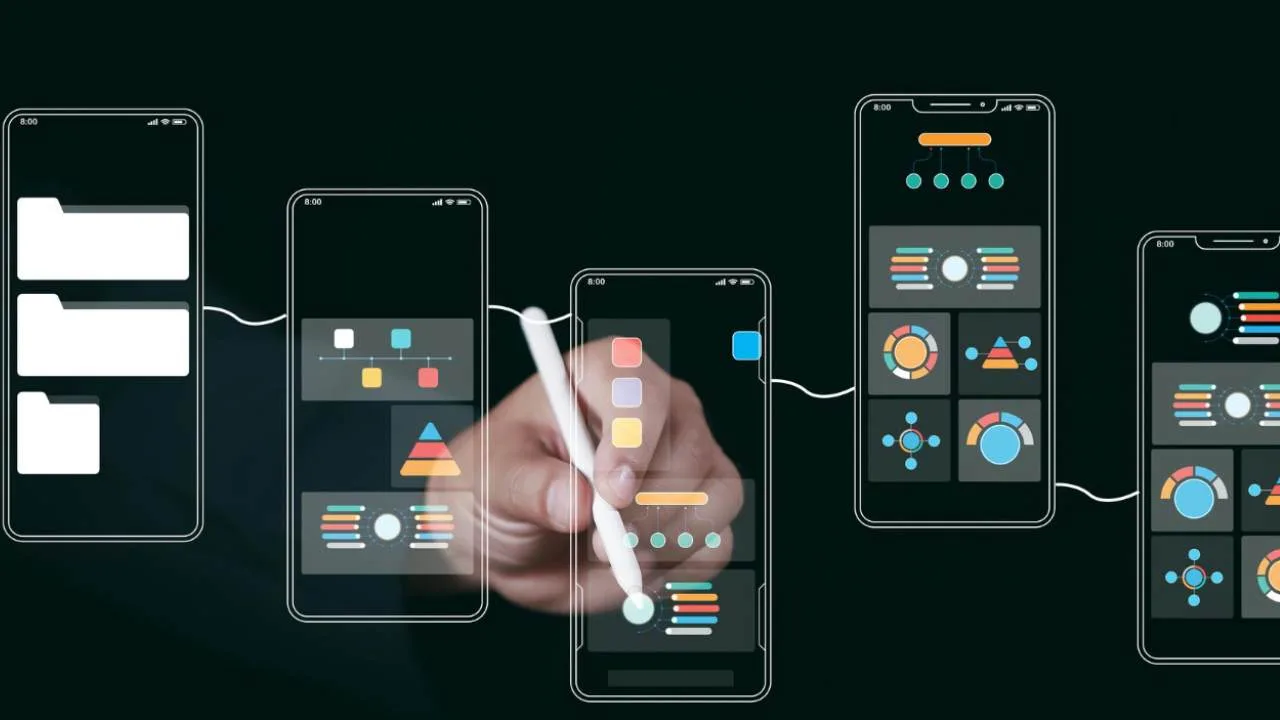
Most guides to mobile app development are written to sell something. This one is written to help you make a decision.
If you are considering an app, you are probably weighing four questions at once: which platform, how much, how long, and who should build it. The answers interact. Choosing cross-platform changes the budget. Cutting the budget changes the scope. Cutting the scope changes the launch date.
This guide walks through each decision in the order you will actually face it, using published data where it exists and saying so plainly where it does not.
Key Takeaways
- Platform choice is a business decision, not a technical one — pick based on where your users are and what the app must do with the device.
- Store approval is a real gate, not a formality. Apple's App Review team evaluated more than 9.1 million submissions in 2025 and rejected over 2 million of them.
- The build is not the whole cost. Plan for maintenance, store fees, and infrastructure from the first budget conversation, not after launch.
- Fixed-price scoping protects you more than hourly billing does — it forces the hard scope questions before anyone writes code.
What does mobile app development actually cover?
Building an app is four separate disciplines wearing one name: product definition, design, engineering, and release operations.
Product definition decides what the app does and, more importantly, what it refuses to do. Design decides how that feels on a small screen held in one hand. Engineering builds it against two operating systems with different rules. Release operations gets it through review, out to users, and keeps it running when iOS 27 ships and quietly breaks something.
Teams that struggle usually underinvest in the first and the last. The middle two are visible and easy to budget for. Scoping and release work are invisible until they go wrong.
| Phase | What it decides | Typically underestimated |
|---|---|---|
| Product definition | Feature set, priorities, what to cut | Almost always |
| Design | Navigation, screens, interaction | Sometimes |
| Engineering | Architecture, platforms, backend | Rarely |
| Release & maintenance | Store approval, updates, OS changes | Almost always |
Native or cross-platform: which should you choose?
Choose native when the app's core value depends on the device. Choose cross-platform when the app's core value is your content, data, or workflow.
That is the honest short version. Native development is building a separate app for each platform — Swift for iOS, Kotlin for Android. It means two codebases, full access to everything the hardware offers, and the highest performance ceiling. Cross-platform development is building one codebase, usually in React Native or Flutter, that runs on both platforms.
The decision is usually clearer than the internet suggests. An app built around real-time camera processing, background location, complex gestures, or platform-specific hardware belongs in native. A booking app, an internal tool, a marketplace, a loyalty app, or a content product rarely does.
Where cross-platform genuinely costs you: deep OS integrations arrive late, because the framework has to wrap each new platform API after the platform ships it. If your roadmap depends on adopting new iOS or Android capabilities the week they launch, that lag is a real constraint.
Where native genuinely costs you: two codebases means two of everything — two builds, two test cycles, two sets of bugs, two release trains. That cost recurs forever, not just during the initial build.
There is no universally correct answer, and anyone who gives you one without asking what the app does is selling their preferred stack. We go through this decision in detail on our mobile app development page.
The part of the timeline set by Apple and Google rather than the developer (D-U-N-S, account verification, mandatory testing, review) is collected with sources in how long does it take to build an app.
What does a mobile app cost in 2026?
Nobody can quote an app without knowing its scope, and any number you see online without that context is marketing. What we can do is explain why quotes for what sounds like the same app differ by a factor of ten.
The variables that actually move the price:
- Number of user roles. An app with one type of user is far simpler than one with customers, staff, and administrators.
- Whether it needs a backend. An app that only displays content is a fraction of the work of one that stores, syncs, and secures user data.
- Offline behaviour. "Works without a connection" is one line in a brief and weeks of engineering.
- Payments. In-app purchases, subscriptions, and refund handling each carry their own rules and edge cases.
- Integrations. Every external system your app talks to is a dependency you do not control.
- One platform or two. Launching iOS-only first is a legitimate way to halve initial cost.
Costs people forget to budget
The build quote is not the total. Three recurring costs belong in the first budget conversation.
Store commission. Apple's App Store Small Business Program charges 15% rather than the standard rate on paid apps and in-app purchases (Apple Developer). It covers developers whose proceeds were up to $1 million in the prior calendar year. If your app sells anything digital, that percentage is a permanent line in your model.
Developer accounts. The Apple Developer Program costs $99 a year (Apple Developer). Google Play charges "a US$25 one-time registration fee" (Google Play Console Help). Small numbers, but they should not surprise you.
Infrastructure. If the app has a backend, it has a hosting bill that scales with your users. That is a success cost, but it is still a cost.
For the full breakdown — including the recurring cost the platforms impose on you whether your product changes or not — see what an app actually costs.
How long does it take to build an app?
For a first release with a defined scope, a realistic range is 8 to 16 weeks — and the width of that range is the point.
That is our own published figure for the projects we scope, and it assumes something specific: that scope is fixed before development starts. Projects that begin without an agreed feature set do not take 16 weeks. They take as long as the arguments do.
Roughly how that time distributes on a typical first release:
| Stage | Share of timeline | What happens |
|---|---|---|
| Discovery and scoping | 10–15% | Feature set agreed and frozen |
| Design | 20–25% | Screens, flows, states |
| Engineering | 45–55% | Build, integrate, test |
| Review and launch | 10–15% | Store submission, fixes, release |
The two stages that most often blow the schedule are the first and the last — the same two that get cut when someone wants to start faster.
What belongs in a first release?
Cut everything that is not required to prove the app works for one user doing one job.
An MVP is the smallest version of an app that lets a real user complete the core job from start to finish. It is not a demo and not a cheap edition — it is a narrow product that works completely.
That sounds obvious and is very hard in practice, because every stakeholder has one feature they consider essential. A useful test: for each feature, ask what happens if it ships three months later. If the answer is "nothing much," it is a version two feature.
Common features that feel essential and usually are not in release one:
- Social login beyond a single provider
- In-app chat or messaging
- Push notification campaigns (the plumbing, yes; the campaign tooling, no)
- Admin dashboards that a spreadsheet could handle at launch volumes
- Multi-language support, unless you are launching in two markets simultaneously
The point is not to ship less. It is to ship sooner, learn from real users, and spend the version-two budget on what they actually asked for rather than what you guessed in a meeting room.
What actually gets apps rejected from the store?
Store review is a genuine gate, and the scale is easy to underestimate.
In 2025, Apple's App Review team evaluated more than 9.1 million app submissions and rejected over 2 million problematic ones (Apple Newsroom, May 2026). That total included over 1.2 million new apps and nearly 800,000 updates. Roughly one submission in five did not pass.
Not all of those are legitimate apps that made mistakes — Apple's figures include fraud and spam. But the number makes the point: submitting is not publishing.
Google's process differs. Some apps go through extended review, "which may result in review times of up to seven days or longer in exceptional cases" (Google Play Console Help). New developer accounts are more likely to see the longer path.
What this means for planning: never announce a launch date that assumes same-week approval. Build a buffer, submit early, and treat the first submission as a checkpoint rather than the finish line.
The rejections that are genuinely avoidable cluster in the same few places:
- Incomplete account or subscription information
- Missing privacy disclosures — both stores now gate submissions on them, including what third-party SDKs collect
- A notification permission prompt on first launch, which spends the only request you get
- Features that crash on the reviewer's device
- Demo credentials that do not work
Every one of those is caught by testing the submission the way a reviewer will. The guidelines the stores actually cite quotes them directly, and covers the part that differs most between the two: on Google Play, repeated rejection escalates toward losing the account.
What does an app cost after launch?
An app is not a project that finishes. It is a product that requires a maintenance budget for as long as it is live — and two of its metrics have a published threshold that affects how visible it is on Play.
Both platforms ship a major OS release every year, and each one can change behaviour your app depends on. Certificates expire. Dependencies get deprecated. Devices change shape. None of this is optional work — an app that is not maintained does not stay still, it degrades.
Plan for four categories:
- OS compatibility. Annual, predictable, non-negotiable.
- Dependency and security updates. Ongoing, and the one most often skipped until something breaks.
- Bug fixes from real usage. Highest in the first three months after launch.
- Iteration. The features your users ask for once they have the app in hand.
Budgeting nothing for the year after launch is the single most common planning error we see. It is also the one that turns a good app into an abandoned one.
How do you choose who builds it?
Judge the process, not the portfolio. Portfolios show finished screens; they tell you nothing about how a team behaves when scope changes at week nine.
Questions worth asking before you sign anything:
- Who exactly writes the code? Ask for names and seniority, not team sizes. Some agencies sell a senior team and staff the work with juniors.
- Is the quote fixed or hourly? Fixed pricing forces the scope conversation upfront, which is where it belongs. Hourly billing moves the risk onto you.
- What happens when scope changes? A team without an answer has not thought about it.
- Who owns the code and the accounts? Repositories, App Store and Google Play accounts, and domains should be yours. Get this in writing.
- What does support look like after launch? If nobody can describe it, nobody has planned it.
We quote fixed prices after a short discovery call, precisely because it puts the difficult scope questions before the contract instead of after it. If that is how you want to work, tell us what you are building.
Frequently asked questions
Should I launch on iOS or Android first?
Launch where your users are. In markets where Android dominates by share, that answer can flip. If you have existing web analytics, check the device split of your current audience before deciding — it is the cheapest research available to you.
Is an app always better than a mobile website?
No. If your product is content, browsing, or a one-off transaction, a fast mobile site usually serves better and costs less. Apps earn their keep with repeat use, offline capability, notifications, and device features. If you cannot name which of those you need, start with the web.
Can I build an app without a backend?
Yes, if the app does not store user data, sync across devices, or need accounts. A backend is the server side of an app: it holds the data, manages accounts, and keeps devices in sync. Many useful apps are entirely local and need none of it. Adding a backend later is possible but rarely cheap, so it is worth deciding early rather than discovering the need at week ten.
How much does maintaining an app cost each year?
It depends on complexity and integration count, so any single percentage figure you see quoted is a guess dressed as data. What is reliable is the shape: maintenance is a recurring annual cost, it is highest in the first months after launch, and it never reaches zero.
What is the biggest cause of app projects going over budget?
Scope that was never fixed. Almost every overrun we have seen traces back to a project that started building before everyone agreed on what was being built.
Where to go from here
Mobile app development rewards decisions made early and punishes decisions deferred. Platform choice, scope, and ownership terms are all much cheaper to settle before the first line of code than after it.
If you take one thing from this guide: fix the scope, then fix the price. Everything else — timeline, quality, and the relationship with whoever builds it — follows from that.
You can read how we scope and price app projects on our mobile app development page, or see the rest of our engineering and growth services.
Got a project in mind?
We'll scope it and give you a fixed price on one call.
Keep reading
How Long Does It Take to Build an App?
One platform takes 6–10 weeks, iOS and Android 10–16. Part of the timeline is set by Apple and Google, not the developer: D-U-N-S, testing and review.
→Mobile AppsPush Notifications Without Getting Uninstalled
Both stores give you exactly one permission prompt, and both now default to off. The decision that matters is what you spend that single request on.
→