How to Measure AI Search Traffic in GA4
GA4 now has an AI Assistant channel, and Google's own definition says AI Overviews clicks are not in it. That settles most of the measurement argument.
Caliency
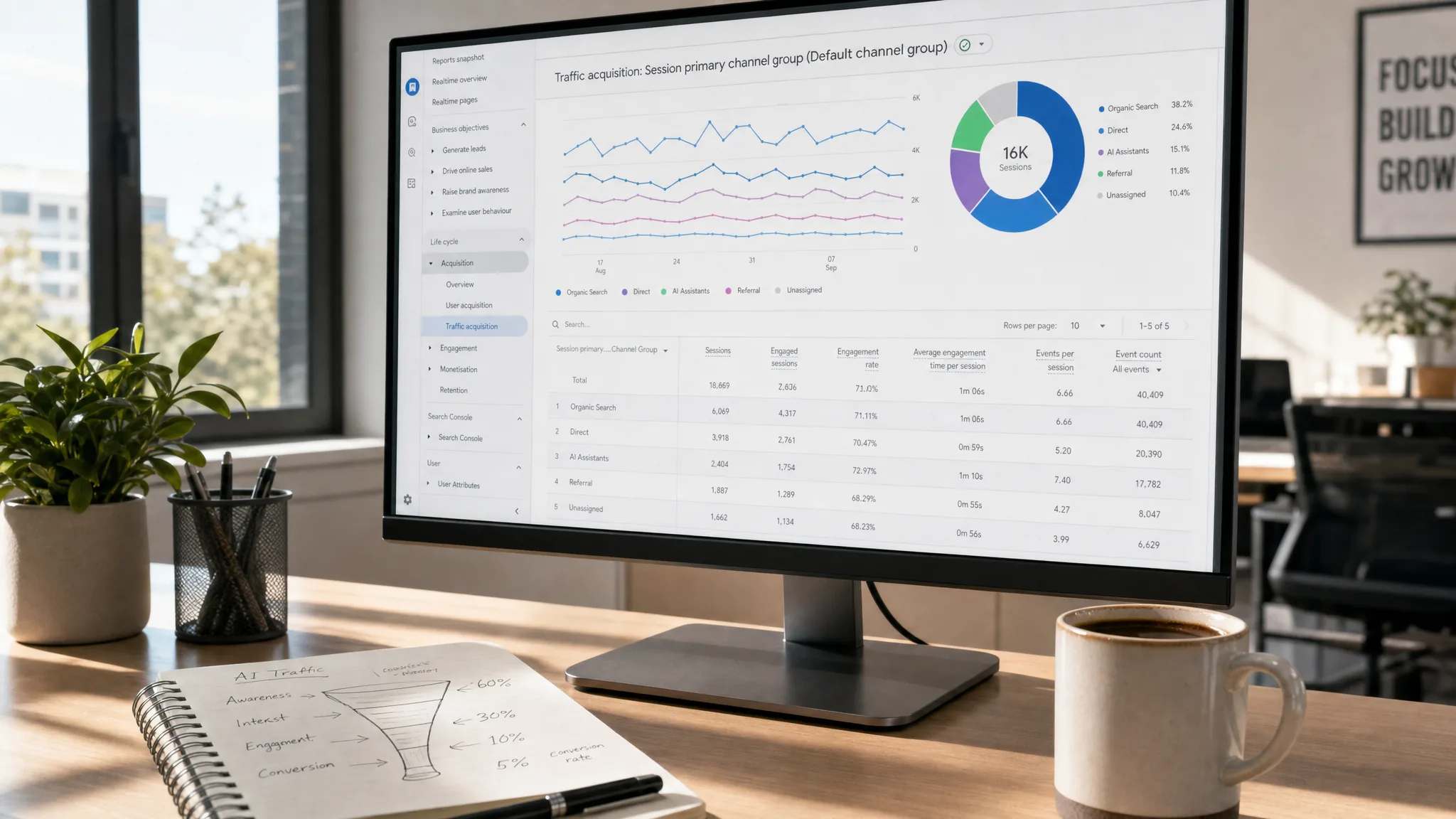
The measurement question in AI search has a definitive answer now, and it comes from two of Google's own definitions rather than from anyone's estimate.
GA4's default channel group contains an AI Assistant channel, and Google's definition of it says explicitly what it does not include. Read that against the Organic Search definition and the boundary of what is measurable becomes exact — which is more than most of this field can offer.
The two definitions that settle it
From GA4's default channel group documentation:
"AI Assistant is the channel by which users arrive at your site from sources like ChatGPT, Gemini, Deepseek, Copilot, or Grok. It excludes Google's AI Overviews and AI Mode."
and
"Organic Search is the channel by which users arrive at your site/app via non-ad links in organic-search results, including Google's AI Overviews and AI Mode."
So the split is not "AI versus search". It is assistants on one side, and Google's AI features counted as organic search on the other. A click from an AI Overview arrives in GA4 as organic search traffic and is indistinguishable from any other organic click.
The AI Assistant channel triggers when the medium is exactly ai-assistant, which Google says "is set automatically when the referrer matches a list of AI Assistants." If you built a custom channel group with a hand-maintained regex of assistant hostnames, GA4 now does that for you and keeps the list current.
Search Console draws the same line
Google's AI features documentation confirms the other half: AI features "are included in the overall search traffic in Search Console" under the Web search type.
There is a dedicated view — the generative AI performance report — but it is deliberately limited to impressions. No clicks, no click-through rate, no position. It tells you that links to your site were shown inside an AI feature. It does not tell you what happened next, and we went through what that means for budgeting in our AI Overviews guide.
What you can measure, precisely
Three clean measurements and one honest gap:
| What | Where | What it is |
|---|---|---|
| Impressions in AI features | Search Console, generative AI report | Visibility only |
| Assistant sessions and conversions | GA4, AI Assistant channel | Attributable end to end |
| Total organic performance | Search Console + GA4 Organic Search | Contains AI Overviews clicks |
| Click-through from an AI Overview | nowhere | not exposed |
That last row is the one to state out loud in a meeting. Anyone presenting a number labelled "AI Overviews traffic" has constructed it, because neither Google product exposes it.
Setting it up properly
- Confirm the AI Assistant channel is populated. Reports → Acquisition → Traffic acquisition, with the primary dimension set to Default channel group. If it shows zero, you have no assistant traffic yet rather than a configuration problem.
- Add a secondary dimension of Session source to see which assistant. The default channel groups them together, which is right for reporting and wrong for diagnosis.
- Mark your conversions first. Assistant traffic tends to be low volume and high intent; without conversion events it looks like nothing and may be your best-converting source.
- Do not rebuild the default group with a regex. You would be maintaining a list Google now maintains, and getting it wrong silently.
- Build a custom channel group only to split assistants, and keep it beside the default rather than replacing it.
- Check the Search Console generative AI report for impressions, and label it as impressions in every deck.
Reading it honestly
Assistant sessions are usually a small number. That is the correct result, not a failure of setup, and the useful response is to look at what those sessions did rather than at how many there were. A hundred sessions that convert at eight per cent is a channel; ten thousand that convert at nothing is not.
Impressions in AI features are a visibility trend and nothing more. They are worth tracking over months to see whether the work is moving anything, and they are not worth converting into an estimated traffic figure by applying a click-through rate somebody invented.
And organic totals now quietly contain AI Overviews clicks. That means a flat organic line can hide a real shift in composition, which is an argument for watching query-level and page-level Search Console data rather than the headline. The same argument runs through our GEO guide.
Where we say no
We do not report an "AI traffic" figure that combines assistant sessions with estimated AI Overviews clicks. One of those is measured and the other is invented, and adding them produces a number that is worse than either.
We do not build custom channel groups that duplicate the default one. It is maintenance we would be charging for and a list we would maintain worse than Google does.
And we will say when the honest answer is that there is not enough data yet. A channel with forty sessions a month does not support a strategy, and pretending otherwise is how GEO gets oversold.
If you want the reporting set up so these three numbers come out cleanly and the fourth is never fabricated, tell us what you are trying to decide — or see how we scope the work on the GEO service page.
Got a project in mind?
We'll scope it and give you a fixed price on one call.
Keep reading
What Is Entity SEO? Making Your Brand Machine-Readable
Entity SEO is making your brand one clear entity that Google and AI engines recognise. What actually works, according to Google's own documentation.
→GEOGoogle AI Overviews: How to Appear and How to Measure It
Google says no special markup is needed. Search Console now reports AI visibility — impressions only, no clicks. What that combination means.
→