E-commerce SEO: Category Pages Are the Money
Google says it generally ignores URL structure and counts internal links instead. That single sentence moves the work from product pages to category pages.
Caliency
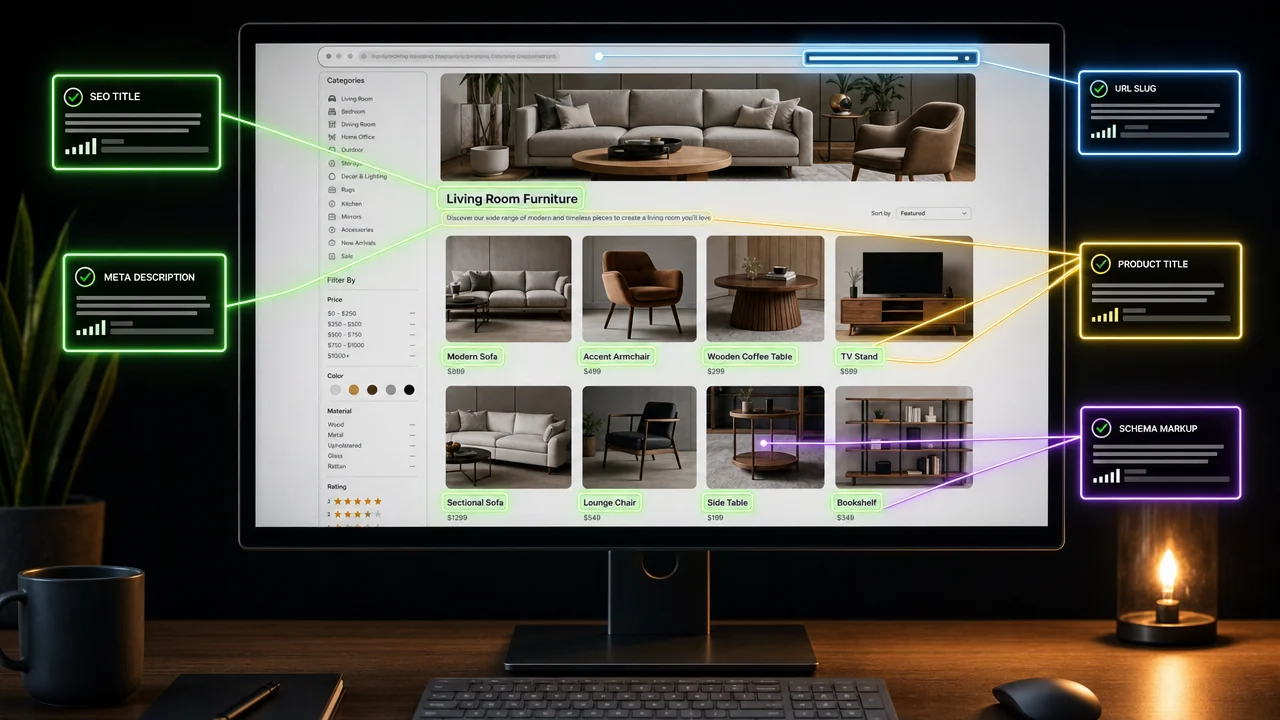
Most e-commerce SEO advice starts with product pages and URL structure. Google's own documentation quietly rules out the second and demotes the first, in a sentence almost nobody quotes:
"Google generally doesn't look at the structure of URLs to work out the structure of a site."
It works out your structure from the links between your pages instead. And on a store, the page that carries almost all of those links is the category page — which is why that is where the work belongs, and why it is usually the thinnest, least considered template in the build.
Why category pages carry the weight
Three separate mechanisms point at the same page, and they compound.
They are the crawl path. Google's e-commerce structure guidance, last updated 10 December 2025, warns plainly: "If category pages don't include direct links to all products in a category, Googlebot might not find all of your products by crawling alone." A store where products are only reachable through a search box or a filter is a store whose catalogue depends on a sitemap being read, rather than on being genuinely connected.
They concentrate internal links. The same document states: "The more links a page has to it within a site, the higher the relative importance of the page." Categories are linked from the header, the footer, the homepage, related-product modules and breadcrumbs. Nothing else on a store accumulates internal links that way, which means nothing else inherits that importance.
They match the query. Most commercial searches are for a kind of thing, not a specific item. The searcher wants a comparison and a choice, which is precisely what a category page is — when it is written as one rather than as a bare grid.
What a category page needs that a grid does not
If the page is going to answer a commercial query, it has to do more than list products in a box.
- A real answer above or below the grid. What distinguishes the options, what the sizing or compatibility trap is, what most people in this category get wrong. Two hundred honest words beat two thousand padded ones.
- Links to every product you want indexed, in HTML, not behind a filter. This is the crawl-path requirement above, stated as a design constraint.
- Links to sibling and child categories, so the structure Google reads from links matches the structure in your head.
- Stable, human-readable URLs — worth having for people and analytics, not because Google reads the hierarchy. It says it does not.
Getting this right is also the part that survives a platform change, which we touched on in WooCommerce vs Shopify vs custom.
Faceted navigation is the biggest technical risk on the site
The filters that make a store usable are also the thing most likely to wreck its crawling. Google's documentation on managing faceted navigation, updated 18 December 2025, describes two costs:
"Overcrawling: Because the URLs created for the faceted navigation seem to be novel and crawlers can't determine whether the URLs are going to be useful without crawling first, the crawlers will typically access a very large number of faceted navigation URLs before the crawlers' processes determine the URLs are in fact useless."
"Slower discovery crawls: … if crawling is spent on useless URLs, the crawlers have less time to spend on new, useful URLs."
That second sentence is the one to take to a meeting. Filter URLs do not merely waste effort — they displace the crawling of your new products.
The recommendation that contradicts most setups
Here is where Google's advice and common practice diverge, and it is worth reading the order carefully. Google recommends:
- robots.txt — "Use robots.txt to disallow crawling of faceted navigation URLs."
- URL fragments — "If your filtering mechanism is based on URL fragments, it will have no impact on crawling (positive or negative)."
And then, about the two techniques most stores actually rely on, rel="canonical" and rel="nofollow", it says they are "generally less effective in the long term than the previously mentioned methods."
The common configuration is the other way round: filters left crawlable, canonicalised back to the category, with nofollow on the links. That is not wrong exactly — it is the weaker of the two options Google lists, deployed as if it were the strong one.
There is a caveat worth stating before you disallow anything. A robots.txt rule stops crawling, not indexing, and a filter combination that genuinely earns traffic — a real sub-segment people search for — should be a proper category page rather than a blocked filter URL. Decide which combinations are products of your catalogue and which are products of your filter UI.
The link mechanics that quietly break this
Google's structure guidance ends with two instructions that sound trivial and are not:
"Use
<a href>tags when creating links to other content."
and do not use "JavaScript events on other HTML DOM elements for navigation."
A category grid where clicking a card is handled by an onclick on a <div> looks identical to a person and is invisible as a link. A store in that state can spend a year on content while its category pages pass nothing to its products, and nothing in a rankings report will say so. It is also the sort of thing a free check finds in ten minutes — the method is in our SEO audit guide.
Where we say no
We do not start an e-commerce engagement with keyword research. On a store, the first question is how many products are reachable in two clicks from a category page without using search or a filter, because that number is the ceiling on everything a keyword plan could achieve.
We do not recommend rebuilding URLs for SEO reasons alone. Google says it generally does not read structure from URLs; a migration carries real redirect risk; and spending that risk on a signal the engine says it does not use is a bad trade. Rebuild URLs when they are bad for people.
And we will say when the honest answer is that the catalogue is the problem — a store competing on the same drop-shipped products as forty others has a merchandising problem that no category-page copy solves.
Where to start this week
- Count reachable products. Two clicks from a category page, no search, no filters. Everything else is downstream of this number.
- Check that product links are
<a href>. View source, not the rendered page. - Look at how filters generate URLs, then compare your setup against Google's order of preference rather than against the last agency's.
- Write one category page properly — a real answer, sibling links, the whole product list — and watch it before rolling out the template.
- Promote genuine sub-segments out of the filter system and into real category pages with their own copy.
If you want this checked against your catalogue rather than in the abstract, send us the store — or see what a full engagement covers on our SEO services page.
Got a project in mind?
We'll scope it and give you a fixed price on one call.
Keep reading
How to Choose an SEO Agency: 12 Questions
Google publishes the questions to ask an SEO and its own warning signs. Most agency-selection articles never link it. Here it is, and what answers reveal.
→SEOLocal SEO and Google Business Profile: What Actually Works
One of the three local ranking factors cannot be optimised at all, and the most-recommended tactic is an explicit guideline violation that risks suspension.
→